| Trap | Fix |
|---|---|
| Cables and chargers | Lift or tidy them; draw a no-go zone; camera robots help |
| Rug fringes and tassels | Tuck under; no-go line just inside the fringe |
| Wedging under furniture | No-go zone, furniture risers or a gap blocker |
| Thresholds and door saddles | Threshold ramps, or a climbing robot like the X60 Max Ultra |
| Chair and stool legs | Push chairs in; mark dining area as a separate room |
| Dark rugs read as cliffs | Reduce cliff sensitivity if available, or no-go zone |
| Dirty sensors | Wipe cliff sensors, bumper and camera with dry microfiber |
| Hair-bound wheels or brushes | Clean wheels and brushes; see maintenance |
| Outdated firmware or a bad map | Update firmware; re-map if the map has errors |
Step-by-step: reduce stuck incidents
Check the app's stuck log
Most apps mark where the robot got stuck on the map. That tells you which trap to fix.
Fix the top two locations
Usually under one piece of furniture and around one cable nest.
Clean the sensors
Two minutes with a dry cloth.
Re-run while you're home
Watch the trouble spots once.
If the problem is obstacles in general, the best robot vacuums for obstacle avoidance get stuck far less. Robot not returning to charge? See robot vacuum not charging.
Prices change often on Amazon. Check the live price before you buy.
Frequently asked questions
Why does my robot vacuum keep getting stuck under the sofa?
The gap is just a little taller than the robot, so it drives in and wedges. Add a no-go zone, raise the sofa slightly with risers, or block the gap.
Why does my robot think it's on a cliff on dark rugs?
Cliff sensors use infrared light, which very dark surfaces absorb. Some apps let you reduce cliff-sensor sensitivity; otherwise, set a no-go zone.
Keep reading
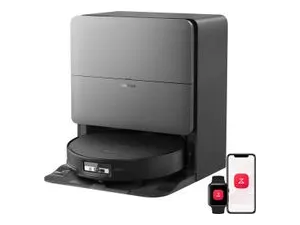 Best OfBest obstacle avoidanceThe best robot vacuums with obstacle avoidance in 2027: AI camera and 3D-sensing robots that dodge cables, soc…GuidesRobot vacuum not chargingRobot vacuum not charging or docking? Eight fixes: clean the contacts, check dock placement and power, reset, …
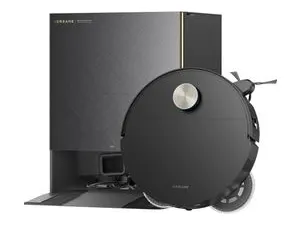 Best OfBest for carpetThe best robot vacuums for carpet and rugs in 2027: strong airflow, carpet sealing, hair-resistant brushes and…
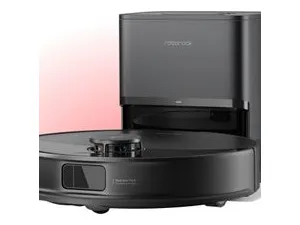 ComparisonsRobot vs stick vacuumRobot vacuum vs cordless stick vacuum: daily maintenance vs deep cleaning, stairs, upholstery, cost and time s…